Sage Intacct 2023 R4 Changes
On November 10th, 2023 Sage Intacct will Release R4. With Sage Intacct, there are 4 releases each year and they are provided for all users running Sage Intacct. This allows clients to always be updated, without having to pay their partner to apply the update.
If you want to preview a release before it’s generally available, please contact ETHOSystems to add you to the program.
On November 9th at 12:00 p.m. central time, ETHOSystems will hold a webinar on these new features. Please signup to attend our webinar here>>>
Company Changes
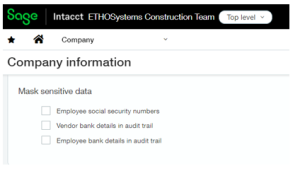
Mask Sensitive Data
You can now mask sensitive data (social security numbers, Vendor and Employee bank details) within the system from the Company set up screen.
View your API Usage
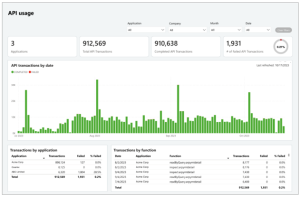
The new API usage dashboard provides a comprehensive view for monitoring and analyzing API activity across your entire company. You can use it to quickly identify issues and optimize your API integrations.
Accounts Payable
Keep track of your AP Automation Usage
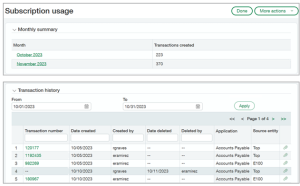
Monitor your company’s recent AP Automation activity on the new Subscription usage page.
Subscription usage provides the number of transaction you emailed or uploaded to AP Automation
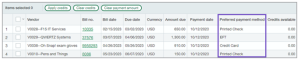
View preferred payment method for vendors when paying bills
A new column in Pay bills shows the Preferred payment method for each bill in the list of bills available to pay. When you select a payment method, such as check or record transfer/EFT, you can now see which vendors prefer payment using that method. You can then make your bill selections accordingly.
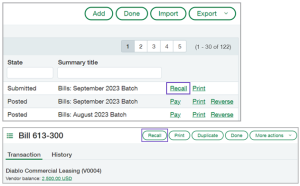
Update a bill that you submitted for approval
If you’ve ever selected submit on a bill, only to realize that you made an error, you’ll appreciate the new recall option for AP bill approvals.
Recall allows you to remove a submitted bill from the approval queue and return it to an editable draft state. You can then update the bill and resubmit for approval.
Recall is available on the Bills list and in bill detail view for bills that are in a Submitted state. Any user with Bills: Edit permissions can recall an eligible bill.
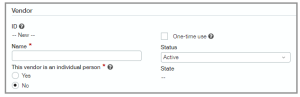
New Required field for Vendors
When you add or edit a vendor, there’s an option to designate the vendor as an individual person. This option masks sensitive data for security purposes when using Vendor Payments powered by CSI. This is now a required field.
Accounts Receivable
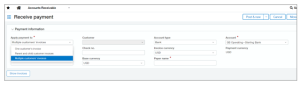
Receive single payments for multiple customers
After this feature is set up, the option to apply payments to a single customer or multiple customer accounts appears on the Receive Payment page.
Options include receiving a payment for the following:
- One customer’s invoices.
- Parent and child customer invoices.
- Multiple customers’ invoices.
Construction
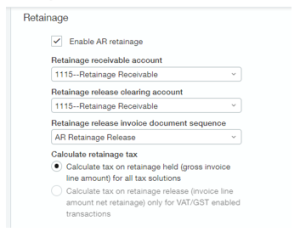
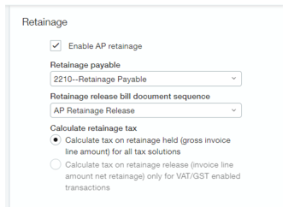
New retainage VAT or GST tax calculation options in AR and AP
If you have a Taxes subscription with Value-Added Tax (VAT) or Goods and Services Tax (GST) set up and configured for non-US taxes, you can now configure Accounts Receivable (AR) and Accounts Payable (AP) to determine when to tax retainage, either when you hold or release retainage. Retainage taxes are calculated at the invoice line level, not at the invoice level.
Configure Accounts Receivable
Configure Accounts Payable
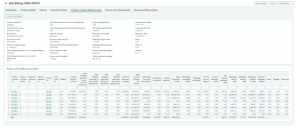
New project contract billing tab reflects invoice billing totals
With this release, you can now use a new read-only Project contract billing details tab to view the latest invoice billing totals for new and existing project contract lines and project contracts. Project contract billing details are also available in new printed document templates and Interactive Custom Report Writer (ICRW) reporting objects.
Use compliance tracking to prevent paying vendors with outstanding lien waivers
With this release, you can now avoid paying Accounts Payable (AP) bills to non-compliant vendors with outstanding lien waivers. First, create compliance definitions and types that generate lien waiver records automatically for primary document-enabled Purchasing transaction definitions. The newly created lien waiver records are incorporated automatically into our compliance tracking and notification system. Using the system-generated compliance records, you can then print or email lien waiver documents using your customized templates.
Then, the lien waiver generation and notification rules you defined prevent you from paying a commitment-related (AP) bill to a vendor associated with outstanding lien waivers.

Greater flexibility in Sage Field Operations
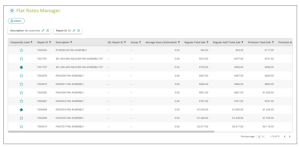
Flat rate pricing
With the Flat Rates Manger, you can sell individual items that represent parts and labor for a specific service at a consistent price.
Fortis payment integration
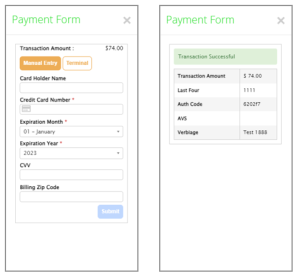
With Fortis payment integration, your employees in the field can accept credit card payments using their mobile devices.
Announcing Sage Construction Management
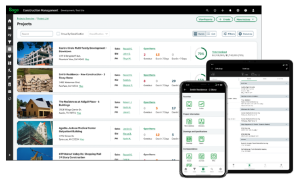
Sage Construction Management, formerly known as Corecon, helps you to align your finance and operations data to win more business and execute projects more efficiently. Manage all your project operations from one platform on any device.
General Ledger
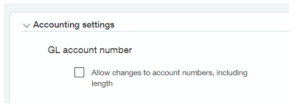
Change GL Account Numbers
You can change your settings for the length of account numbers, and you can change account numbers themselves.
Configure General Ledger
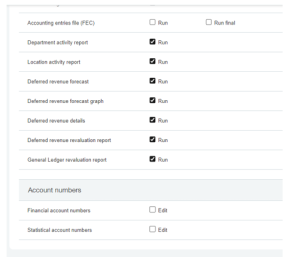
General Ledger Permissions
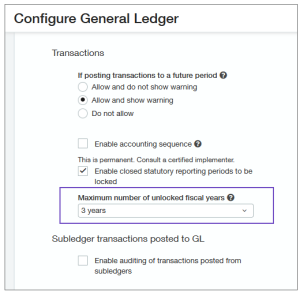
Control how far into the future you allow posting
You can now limit the number of unlocked fiscal years you have. This is especially important in regions where you’re required to set a limit.
Reporting – Financial
Drill down from stored financial reports
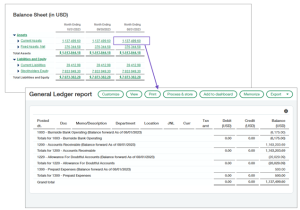
Analyze your data at any level of detail from stored financial reports. You can drill down to transaction level details in the same way you can for reports that are not stored.